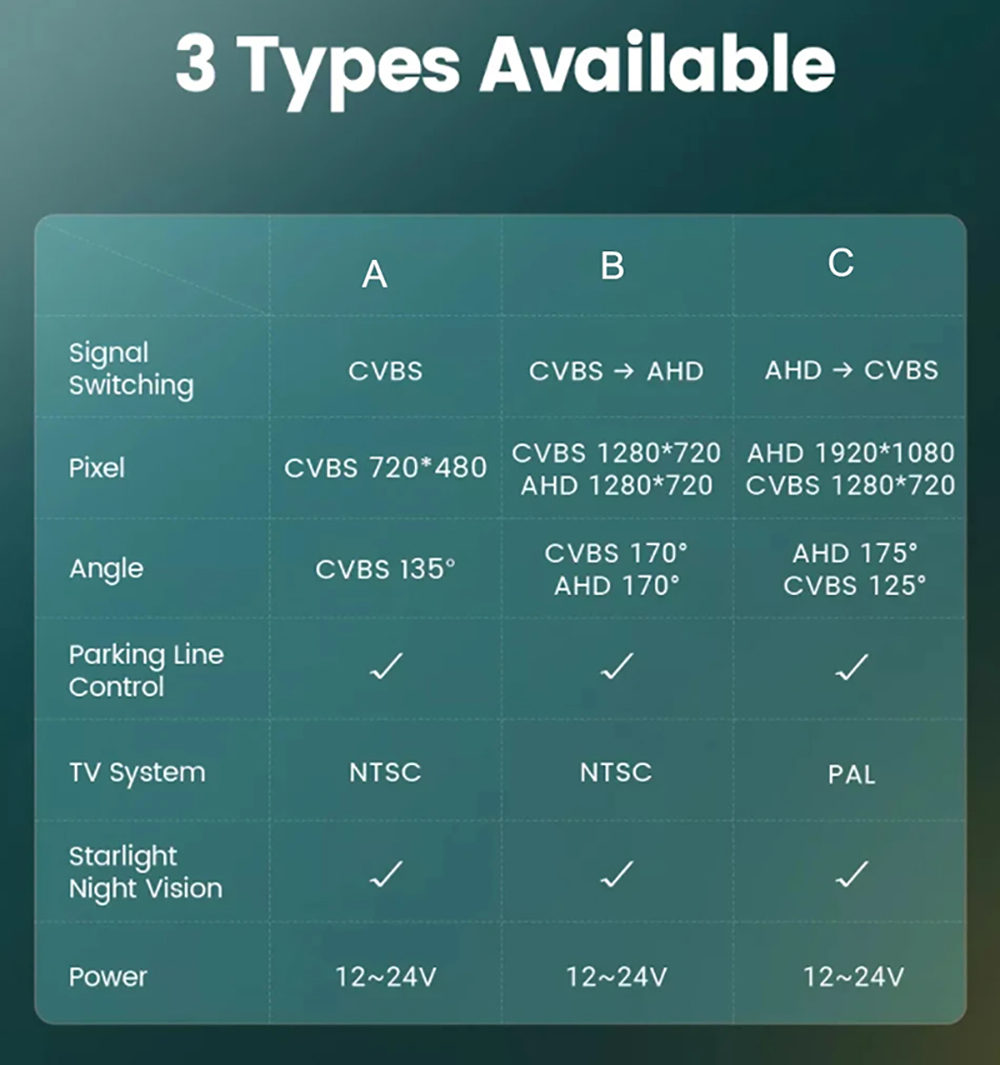
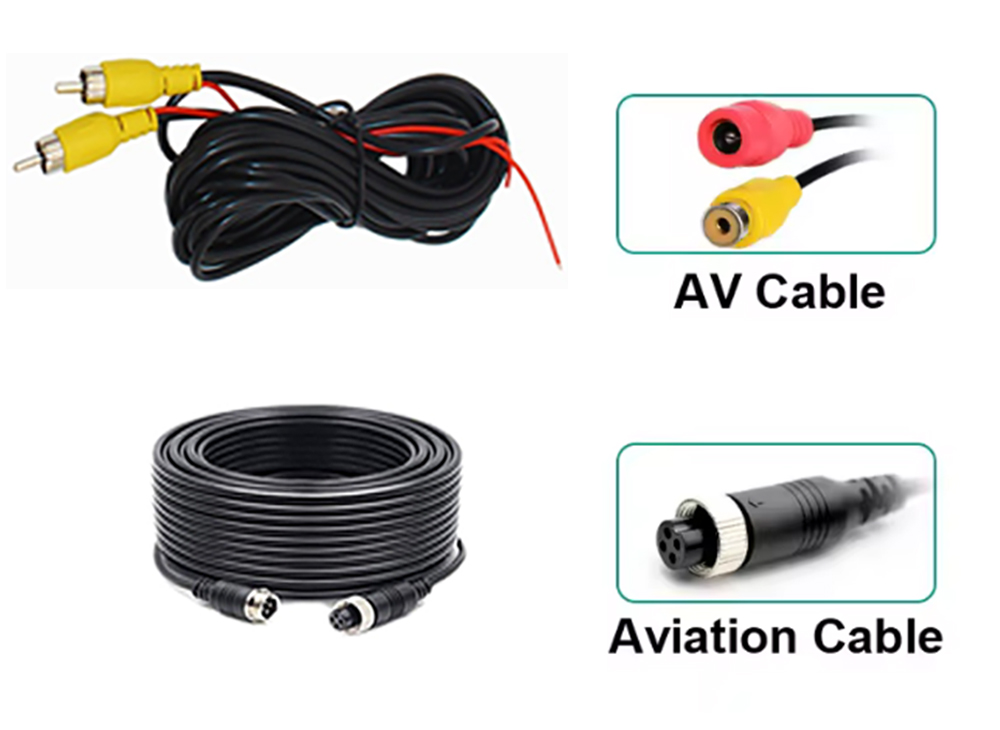
Compatible with the following car models:
Nissan NV400Key Features:
If AHD cannot be selected, AHD cameras are not supported !
Go to Car settings >>Factorysettings>> Reverse (picture) settings>> Select AHD 720P/ AHD 1080P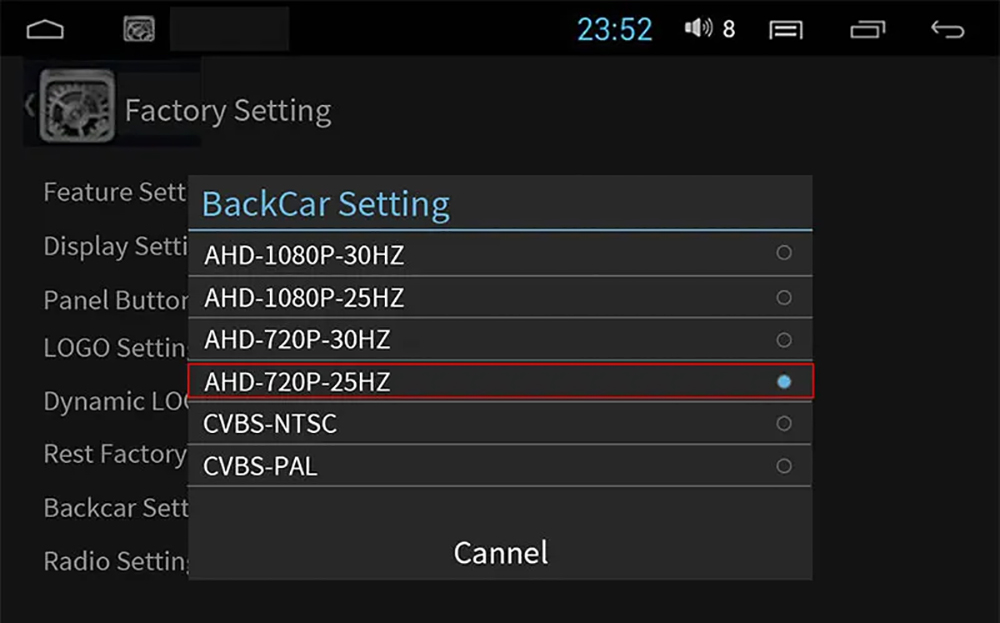
If your Android device does not support AHD signal, you need to set it to CVBS signal. Before setting it up, you need to check if the car camera has switched to CVBS signal, otherwise there may be no signal.
Cameras with CVBS video signal is universal for all monitors, but AHD will only work with AHD monitor!
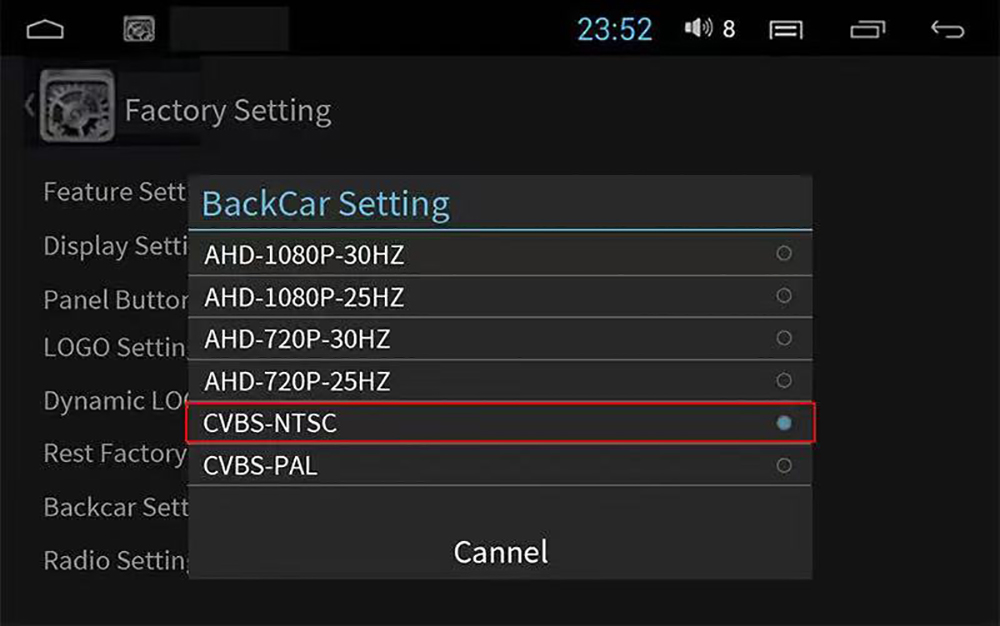
Setup the CVBS System,Go to Car Setting >> Factory Setting >>Reverse (Picture) Setting >> Select CVBS NTSC
Conversion Line Control
Note: Our cameras usually default to CVBS. After cutting the white cable, they will switch to AHD. Before cutting the white cable, please switch to AHD channel in the car display settings, otherwise there will be no signal or black screen.After setting it up, it can run normally.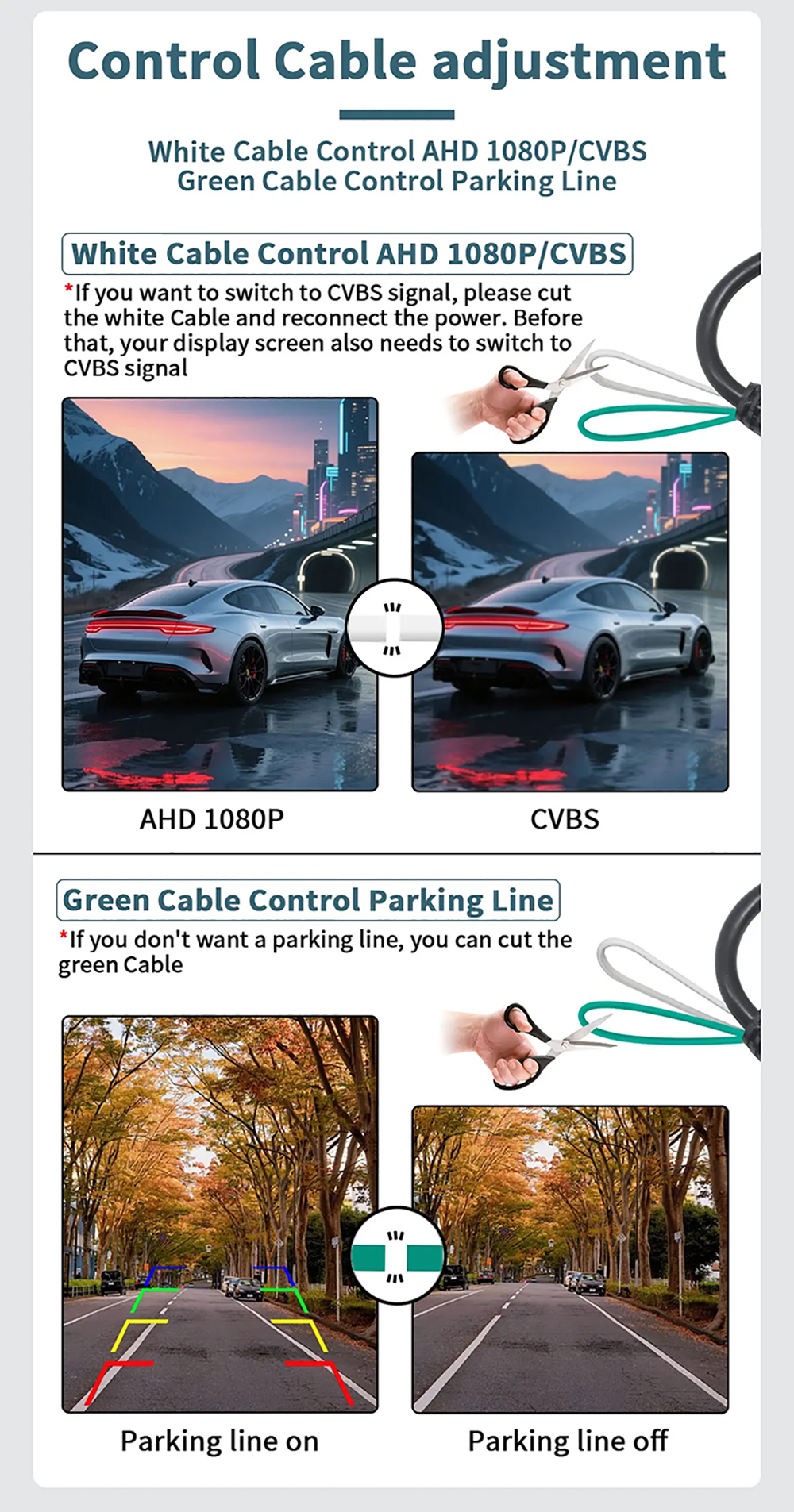
3 Cameras Style Optional